Explainable Meeting Scheduler
Designing a transparent scheduling tool that helps graduate teams find fairer meeting times with less back-and-forth.
Role
UXUI Designer & Frontend Developer
Industry
Education Technology
Duration
3 Months
Project Overview
Graduate project teams often coordinate meetings across classes, work schedules, commutes, time zones, and personal preferences. Even with tools like Google Calendar, When2Meet, Slack, and iMessage, the final decision often still depends on manual comparison and repeated negotiation.
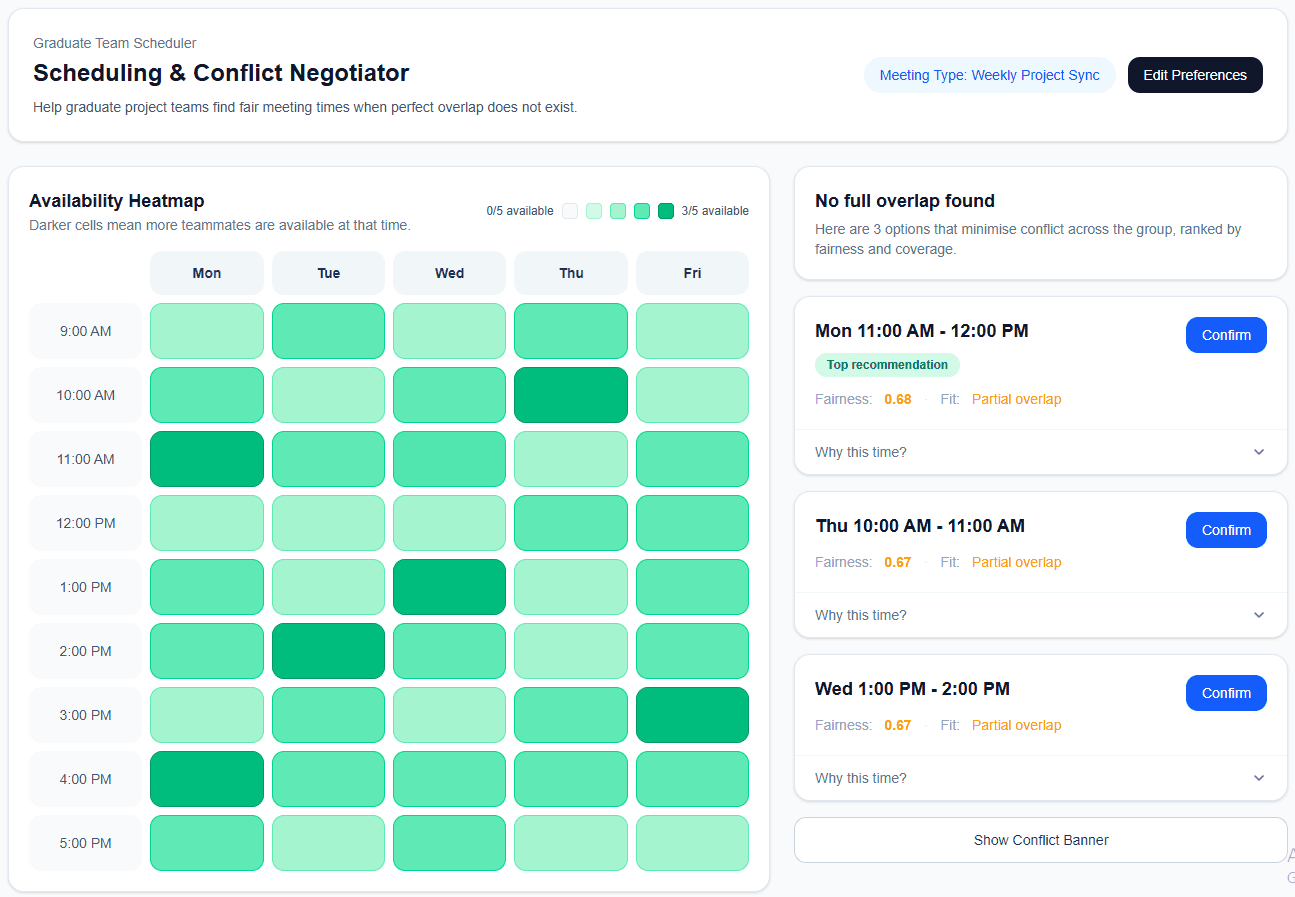
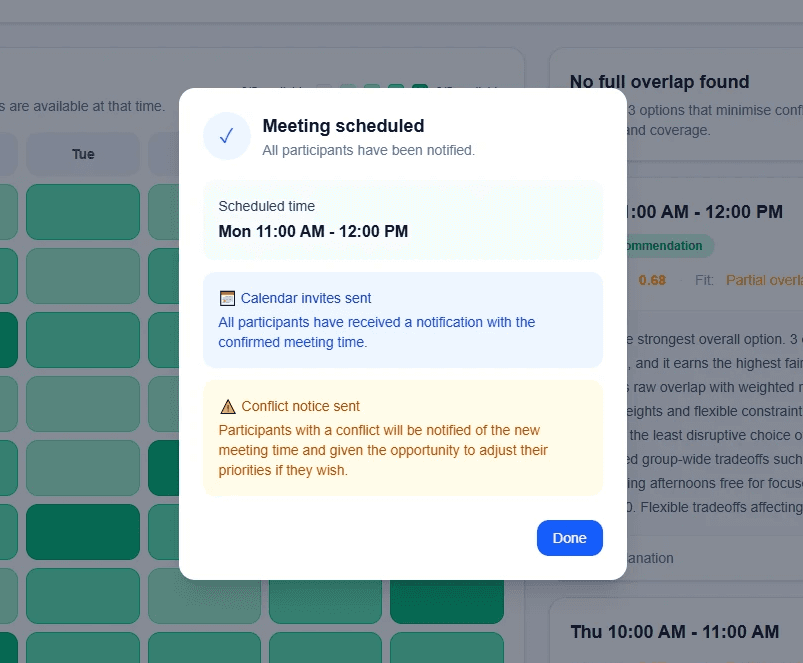
I designed an explainable meeting scheduler that helps teams move from scattered availability information to ranked meeting suggestions. The tool shows team availability, recommends strong meeting options, explains why each time was suggested, and allows users to adjust preferences when conflicts appear.
The goal was to make scheduling faster, more transparent, and easier to trust.
The Design Challenge
The main challenge was that scheduling is not only about finding an open time. In team settings, users also care about fairness, flexibility, and whether the final choice feels reasonable for everyone.
The core design question was:
How might we help graduate teams choose meeting times more efficiently while making the recommendation process understandable and fair?
This meant the product could not behave like a black-box scheduler. It needed to show users the reasoning behind each recommendation and give them enough control to adjust the outcome.
Stage 1. Researching the Scheduling Problem
I began by studying how graduate students currently coordinate team meetings. Through interviews and needfinding, we found that students were using multiple tools at once, but still struggled with delayed replies, unclear availability, and repeated rescheduling.
The strongest insight was that users did not only want to know when people were free. They wanted to understand the tradeoffs behind each option: who had a conflict, whether the time was inconvenient, and whether the decision felt fair across the team.
This shifted the project from a simple availability tool to an explainable decision-support system.
Stage 2. Defining the Product Strategy
Based on the research, I focused the design around three priorities: comparison, explanation, and control.
Instead of showing one automatic “best” time, the system would show multiple ranked recommendations so users could compare options. Each recommendation would include an explanation, helping users understand why it was suggested. If the result did not match the team’s real-world context, users could edit preferences and review conflicts before making a decision.
This strategy helped the tool feel supportive rather than overly automated.
Stage 3. Designing the Core Experience
I designed the main workflow around how teams actually make scheduling decisions: first understanding availability, then comparing options, then resolving tradeoffs.
The availability heatmap gives users a quick overview of where the strongest meeting windows are. The ranked recommendation cards turn that information into clearer choices, showing the top meeting options instead of forcing users to manually scan the full schedule.
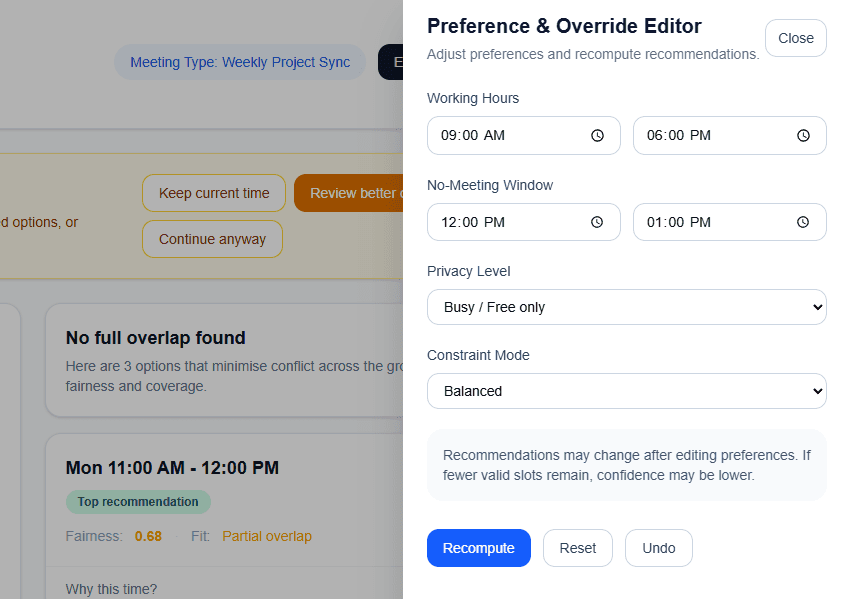
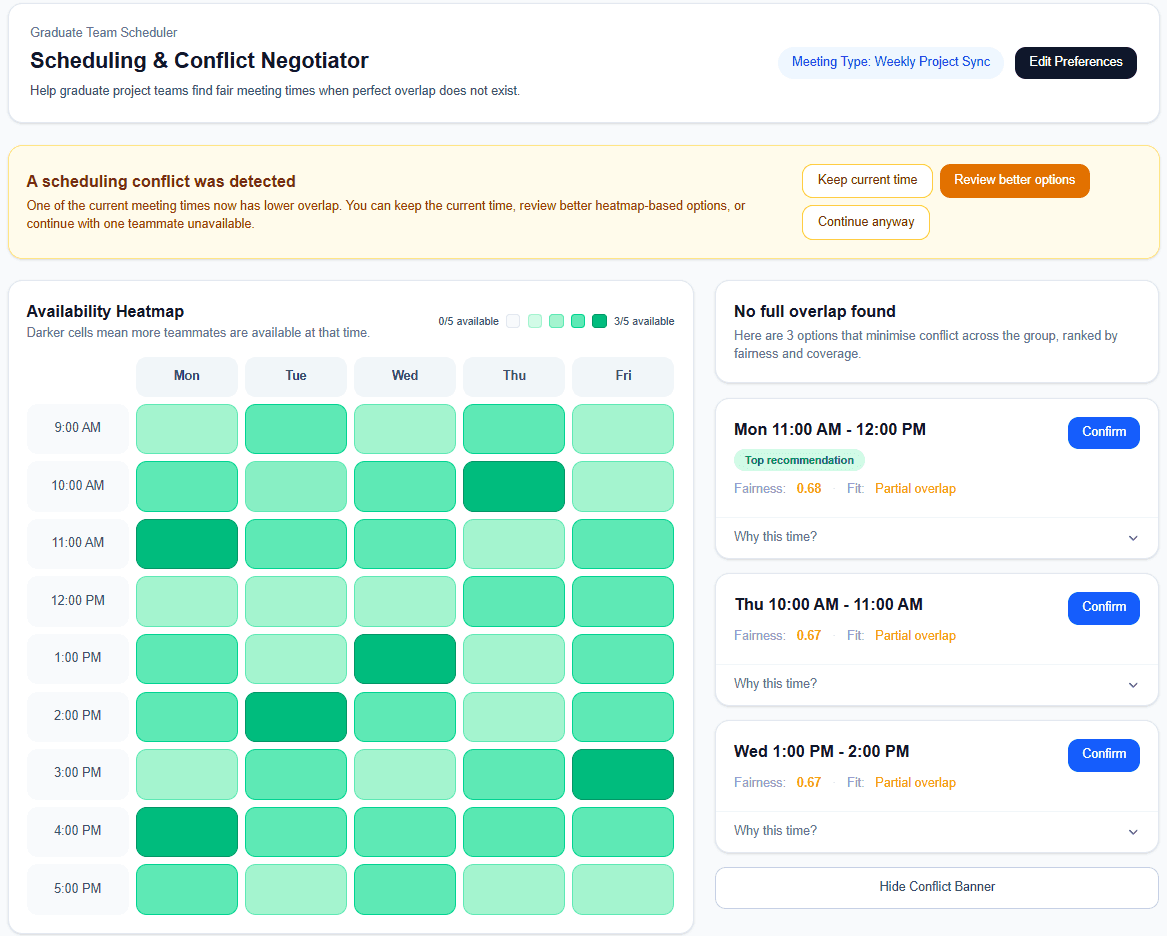
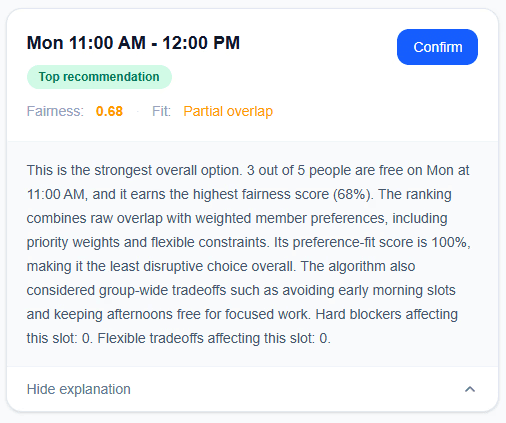
The “Why this time?” explanation panel became the most important trust-building element. It connects each recommendation to factors such as availability, conflicts, working hours, and fairness considerations. I also designed preference editing and conflict alerts so users could correct or question the system when needed.
Together, these elements made the scheduler feel more transparent, flexible, and collaborative.
Stage 4. Testing and Refinement
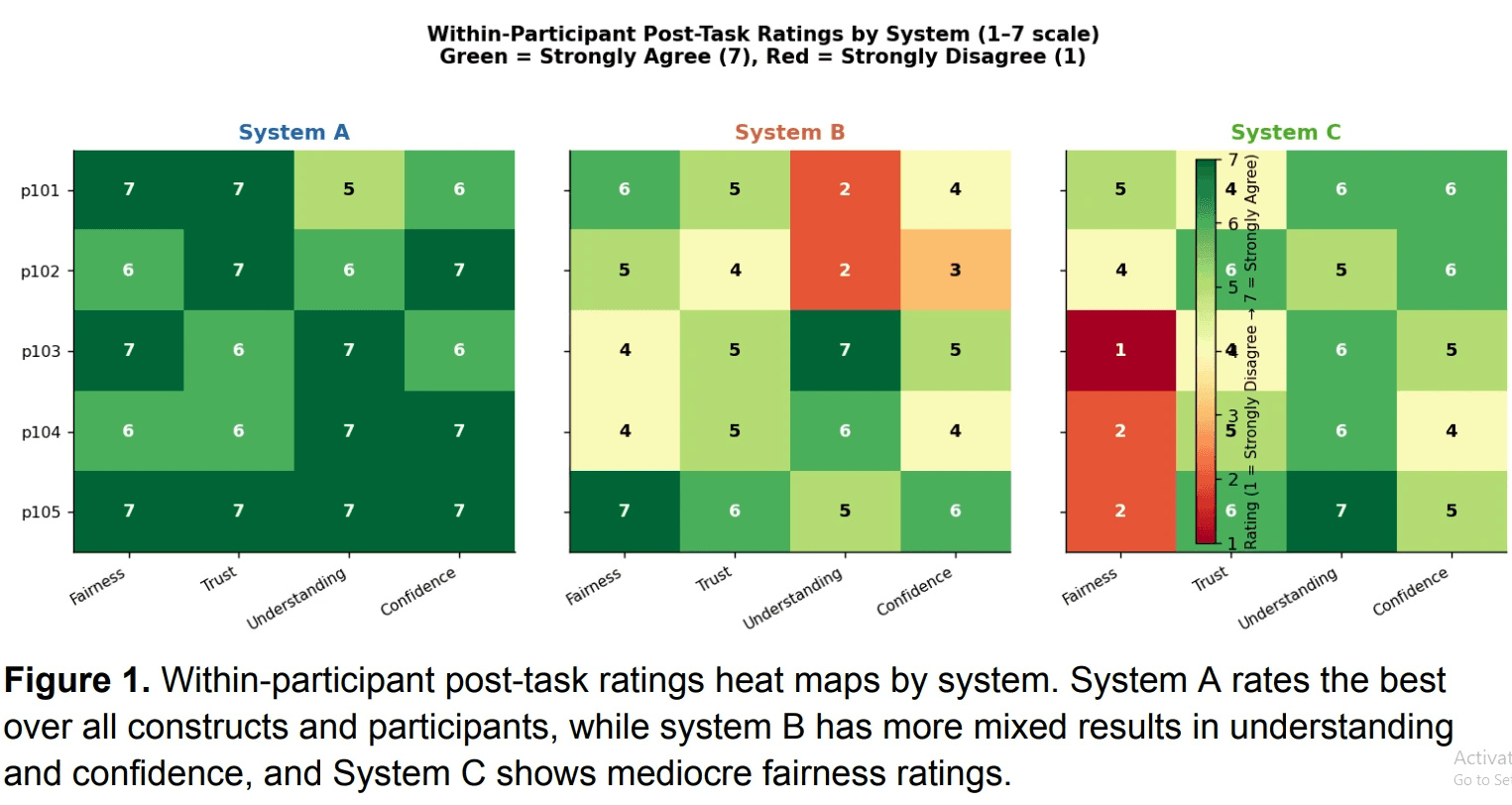
We tested the prototype with graduate students to understand whether the recommendation flow made sense and whether users trusted the system’s reasoning.
Users responded positively to seeing explanations alongside recommendations. They appreciated that the tool did not simply choose a time for them, but helped them understand the decision. At the same time, testing revealed that fairness needed more context. Some users wanted to know whether a conflict was flexible, how much each person was inconvenienced, or whether the same person had compromised before.
Based on this feedback, I refined the design direction around clearer explanations, more visible conflict information, and stronger connections between the heatmap, recommendation cards, and preference controls.
Stage 5. Prototype Implementation
I supported the React/Vite prototype by translating the scheduling workflow into interactive interface components, including the weekly availability heatmap, ranked recommendation cards, explanation panels, preference drawer, and conflict alerts.
This stage helped connect product logic with user experience. Scheduling data, fairness considerations, and user preferences needed to be presented in a way that felt clear rather than technical. My focus was making the system’s reasoning visible enough for users to understand, but simple enough for them to act on.
Outcomes
The final prototype helped graduate teams compare meeting options more easily, understand why certain times were recommended, and adjust preferences when conflicts appeared.
Instead of only showing availability, the design supported a more transparent decision-making process. It helped users move from “When is everyone free?” to “Which option makes the most sense for our team, and why?”
This project strengthened my ability to design workflow tools that combine user research, explainable logic, interface design, and frontend implementation.
Reflection
This project taught me that automation works best when users can still understand and influence the outcome. In scheduling, the “best” answer is not always the time with the most availability. It also depends on fairness, flexibility, and team context.
My biggest takeaway was that explainability is a key part of trust. When users can see why a system recommends something, they are more likely to engage with it thoughtfully.
For future iterations, I would explore richer member-level explanations, team-history awareness, and confidence indicators to better communicate uncertainty and fairness tradeoffs.
Other projects
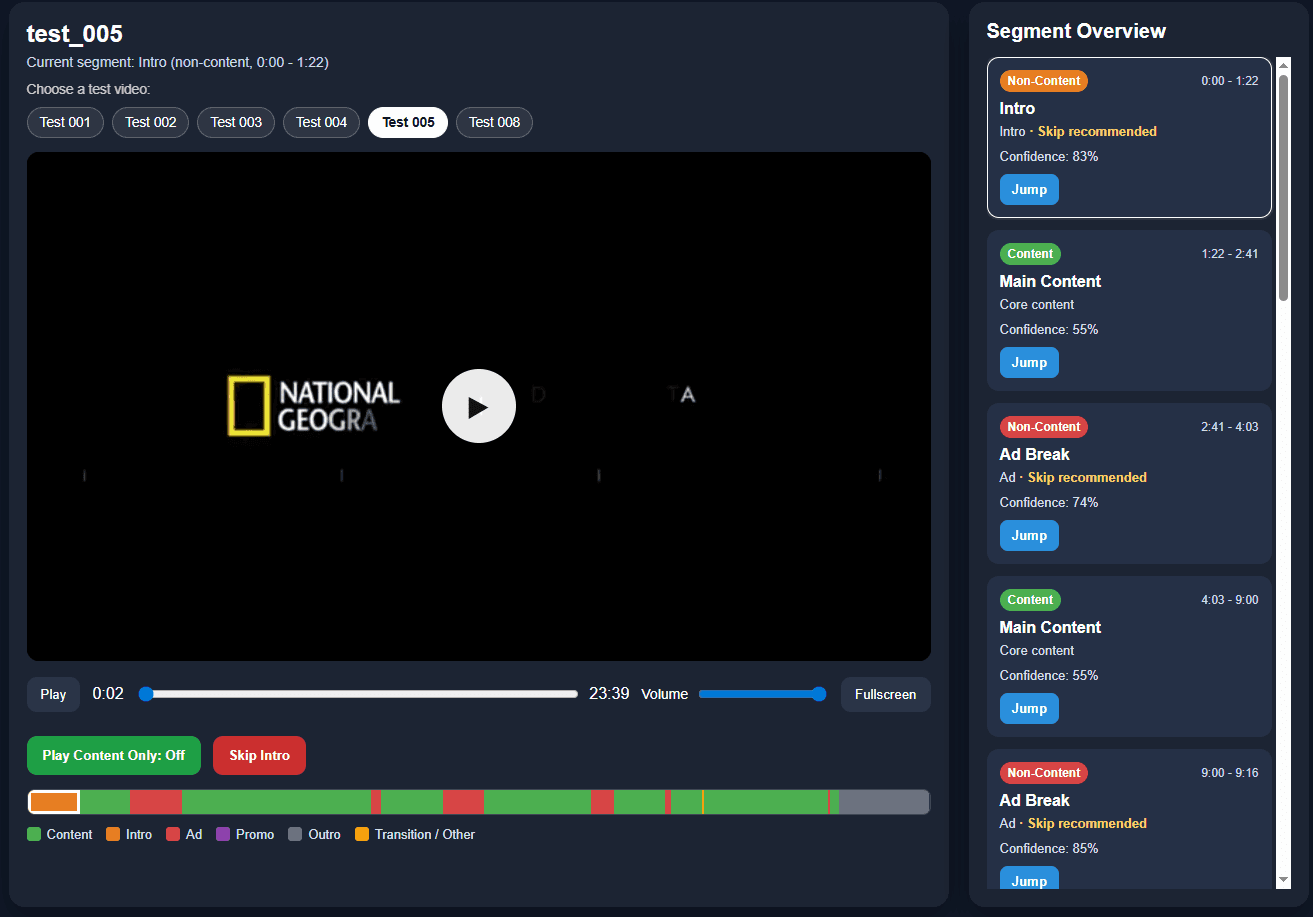
Interactive Video Segmentation Player
Designing an AI-powered video player that makes long videos easier to understand, navigate, and control
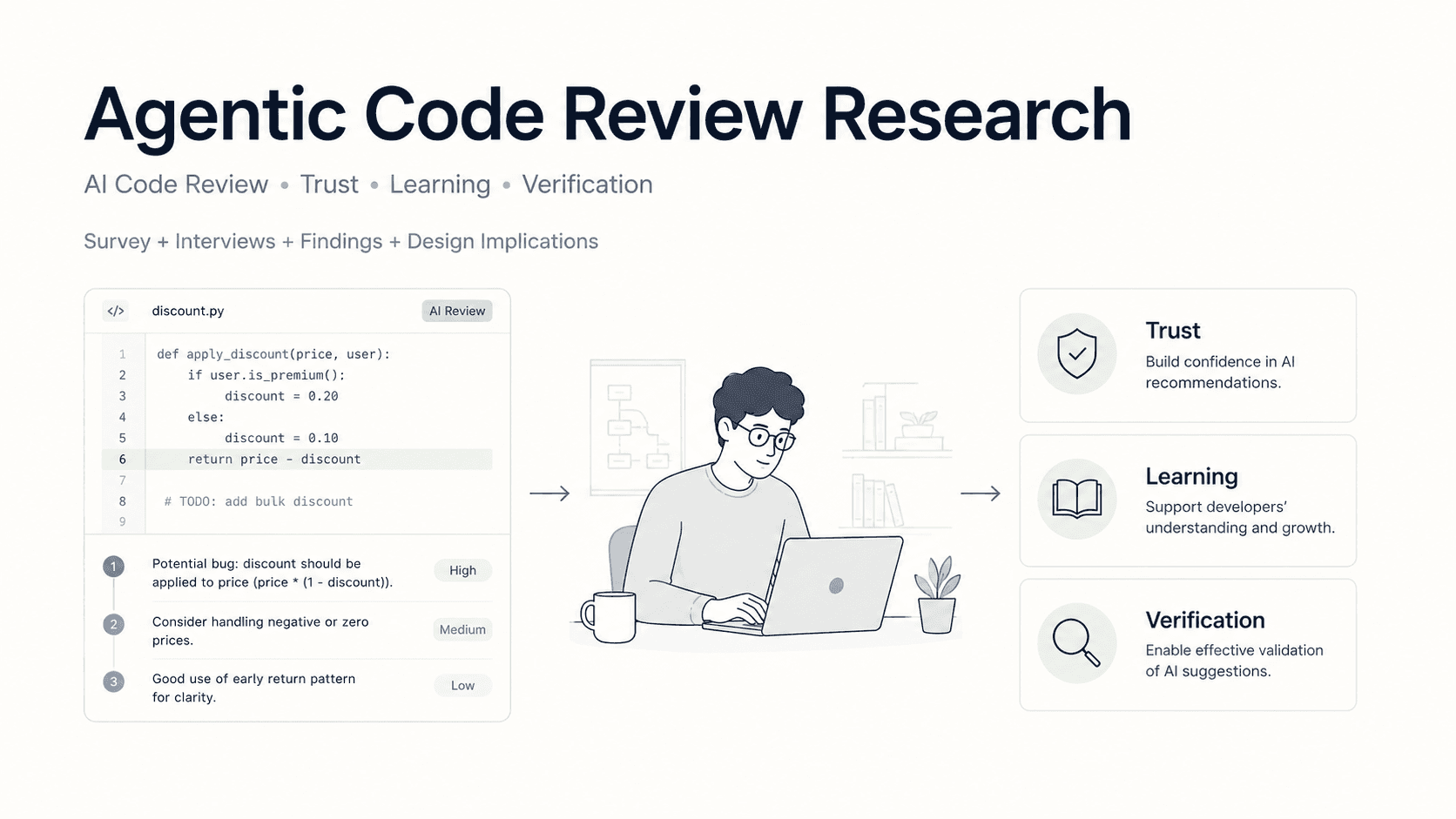
Agentic Code Review Research
Studying how junior developers understand, trust, and verify AI-generated code review feedback.
Responsive Event Search Web App
Designed and developed a responsive event search experience with structured filters, dynamic results, event detail views, and expandable venue information.